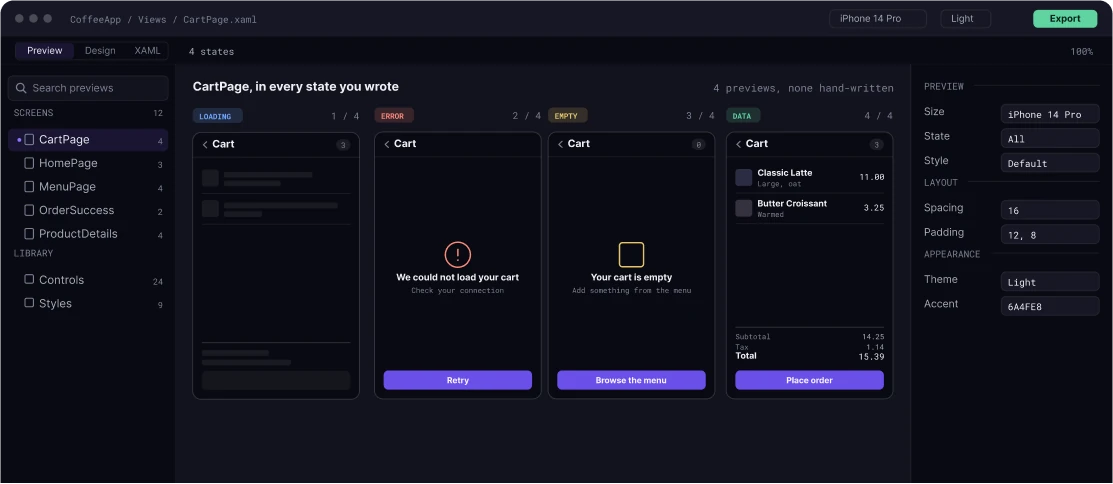
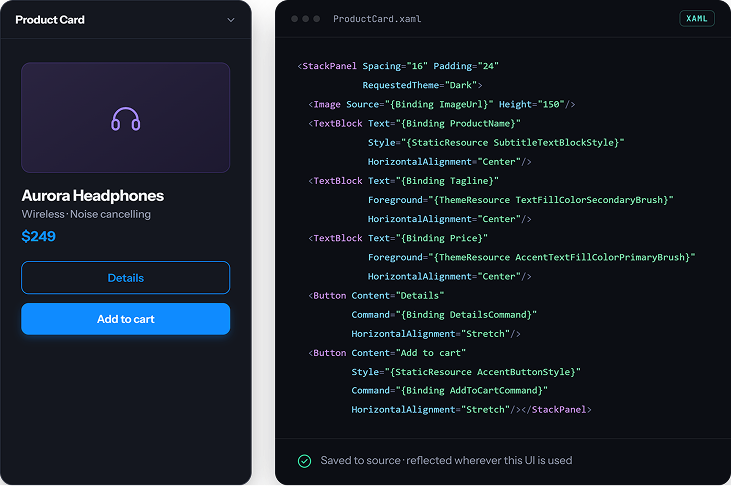
Edit the actual page or component from a Preview. Changes are saved to the source used by your application and reflected wherever that UI is used.
Validate Beyond the Happy Path
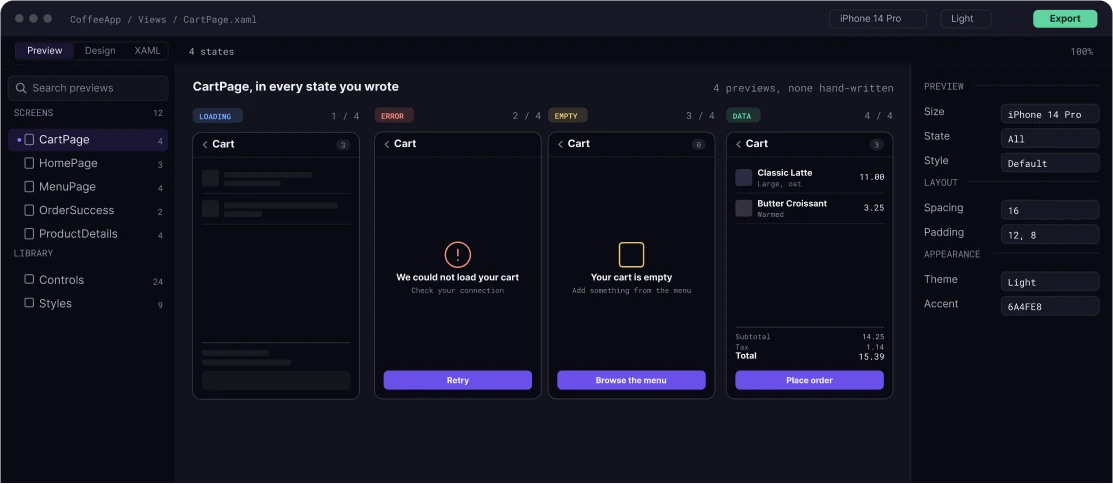
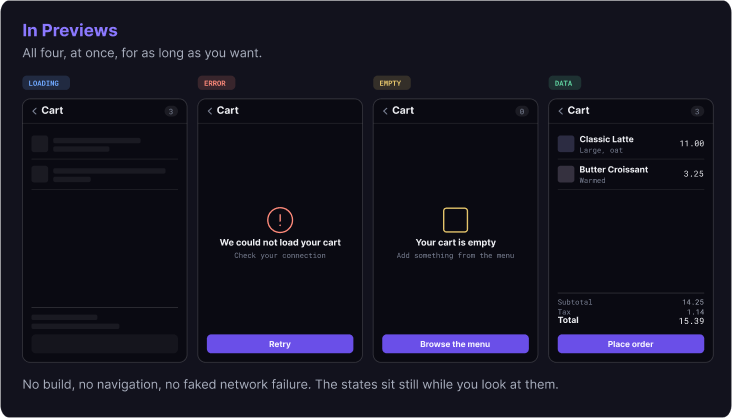
Check loading, empty, error, edge-case, and data-specific states while you work.
Go Straight to the State You Need
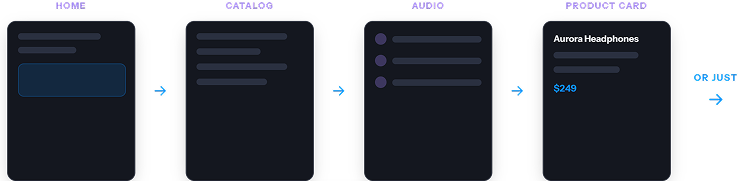
Open the UI and state you need directly, without repeating navigation or recreating the runtime conditions required to reach it.
THE FRICTION
The States You Need Aren't Always Easy To Reach
Loading, empty, error, and edge-case states can mean changing data, throttling a connection, forcing a failure, or navigating through the same workflow again.
The new way
Bring the UI Into the State You Need
Instead of recreating conditions in the running app each time, create a Preview with the context and state you need and return to it directly. Start from an implicit Preview, then create dedicated Previews for the states and data conditions you want to return to.
TWO STATE MODELS
Give Each Preview Its Own Context
Create multiple Previews of the same page or component with different data contexts. Use your application’s data context to represent populated, empty, error, and other data-specific states without depending on a live backend.
EDITING
Edit the Component, Not a Copy
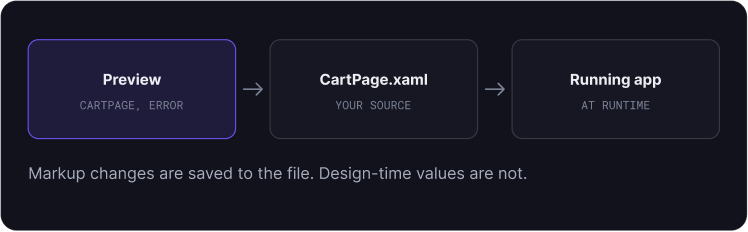
A Preview provides the context around your UI. It doesn’t create a separate version for you to maintain.
Click Edit to work on the actual page or component. Changes are saved to the source XAML and reflected wherever that UI is used.
navigation
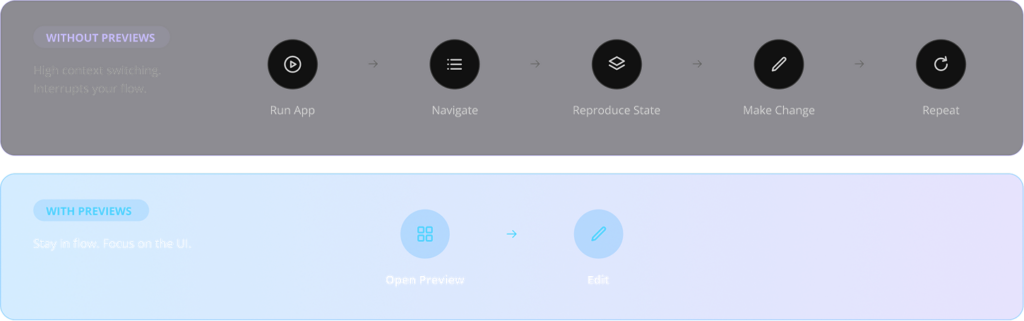
Skip the Path. Open the UI.
Working on a page several screens deep shouldn’t mean navigating back to it after every change.
QUESTIONS
What Developers Ask First.
If the answer you need is not here, the documentation covers the surface in full.
Hot Design works on the running application, in whatever state it happens to be in. Previews shows the states a page can enter, at design time, without running it.
The 15 day trial covers all of Uno Platform Studio, and Previews is part of it. After the trial, creating and editing previews needs a Business subscription.
We use cookies on our website to give you the most relevant experience by remembering your preferences and repeat visits. By clicking “Accept”, you consent to the use of ALL the cookies.
This website uses cookies to improve your experience while you navigate through the website. Out of these, the cookies that are categorized as necessary are stored on your browser as they are essential for the working of basic functionalities of the website. We also use third-party cookies that help us analyze and understand how you use this website. These cookies will be stored in your browser only with your consent. You also have the option to opt-out of these cookies. But opting out of some of these cookies may affect your browsing experience.
Necessary cookies are absolutely essential for the website to function properly. This category only includes cookies that ensures basic functionalities and security features of the website. These cookies do not store any personal information.
Any cookies that may not be particularly necessary for the website to function and is used specifically to collect user personal data via analytics, ads, other embedded contents are termed as non-necessary cookies. It is mandatory to procure user consent prior to running these cookies on your website.
Uno Platform 5.2 LIVE Webinar – Today at 3 PM EST – Watch